# 03 Modules & more
An ERP system from a single vendor can be the only system in use by a company or a part, a component, of the entire ERP solution of a company that use several vendors. Each ERP system is conceived as a group of modules, that interact with information flow between the modules or exporting and importing data between different solutions.
## Learning by doing
In order to evaluate one module, for this exercise the **Manufacturing** module, the approach is to configure the module and identify the interaction with others modules as well the difficulties or peculiarities during the task execution.
> A manufacturing module in an ERP system is responsible provide work orders to instruct machine operators which materials and machine to use, quantity of expected finished goods. The module is configured with information about the equipment on each workshop.
## Module Configuration
Setting up a **Manufacturing** module require a keen eye on details, but sometimes not so detailed in order to avoid complications.
The sequence to setup the module on my testing [axelor ERP](https://erp.33co.de) instance is the following:
1. Setup Country, City, Company information
2. Create workshop, in [Kartano Tech Oy](https://code.33co.de/ehofmann/ERP-samk/src/branch/master/02Process.md) case is the PCB Workshop, Metal Workshop and Assembly Workshop
3. Add cancel reasons, during setup I do not know what is the need of such *Cancel Reasons*, I considered as issues in production that could cancel an order
4. Product approvals, in this item I created inspection step that will approve the product, to be validated at the end.
5. Machine types. In this case I added twelve type of machines that are necessary to create PCB *"Printed Circuit Boards"*
6. Machines. Here I added the machine that is producing according each manufacturing step. Each machine belong to a *Machine Type* group.
7. Work Centers. Here machines are grouped in order to produce the product, also capacity and costing settings are defined. I will need to return to this settings after adding products to the system, as this information is necessary to define the process cost.
### Creating orders
Still some configurations are empty or not clear what are the requirements, by checking the [documentation](https://docs.axelor.com/abs/5.0/functional/manufacturing.html#introduction) I decide to follow the manual flow and configure the product.
### Integration
Several occasions during the configuration of the **Manufacturing** module, it become difficult to advance, because it needs information provided by another module. To create a *work order* is necessary to create a product first.

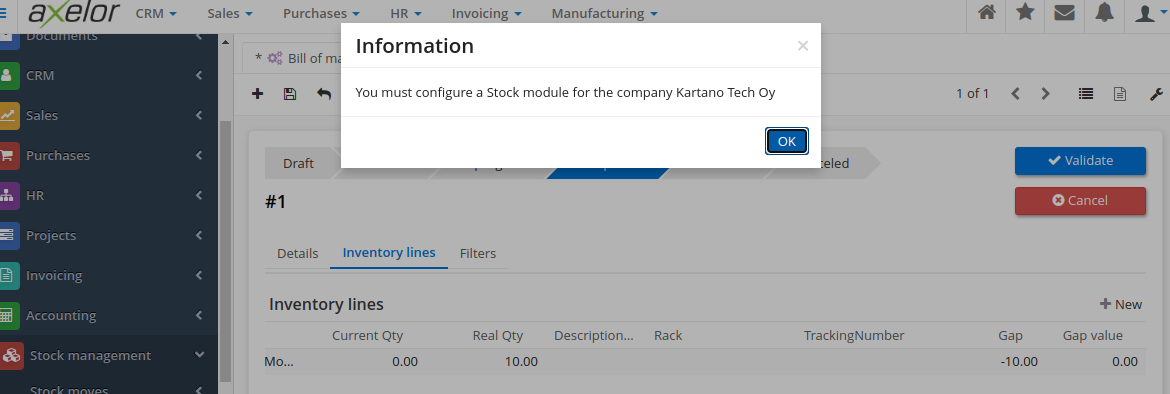
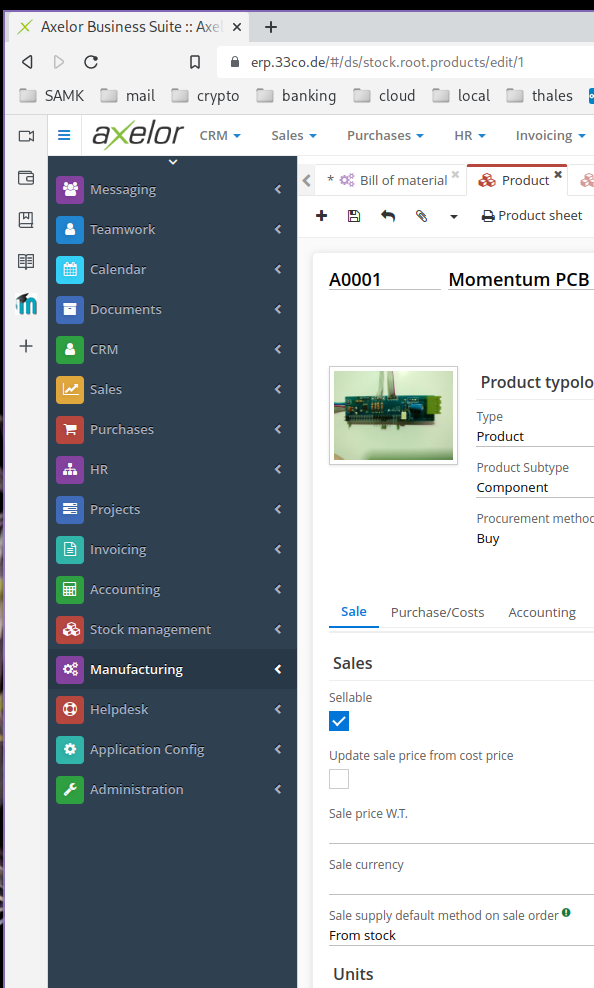
A product can be created in either of these modules **Manufacturing** module or in the **Stock Management** module or even on **Sales** module. On each of these modules there are some additional info related to the product and the module in use. The image below show the message when a product was being created in the **Stock Management** module and the module is not configured.
There is no way we can achieve a minimalist implementation of an ERP system with a single module. When dealing with customers, a **Sales** module is mandatory, but in a situation the company has an established sales team.
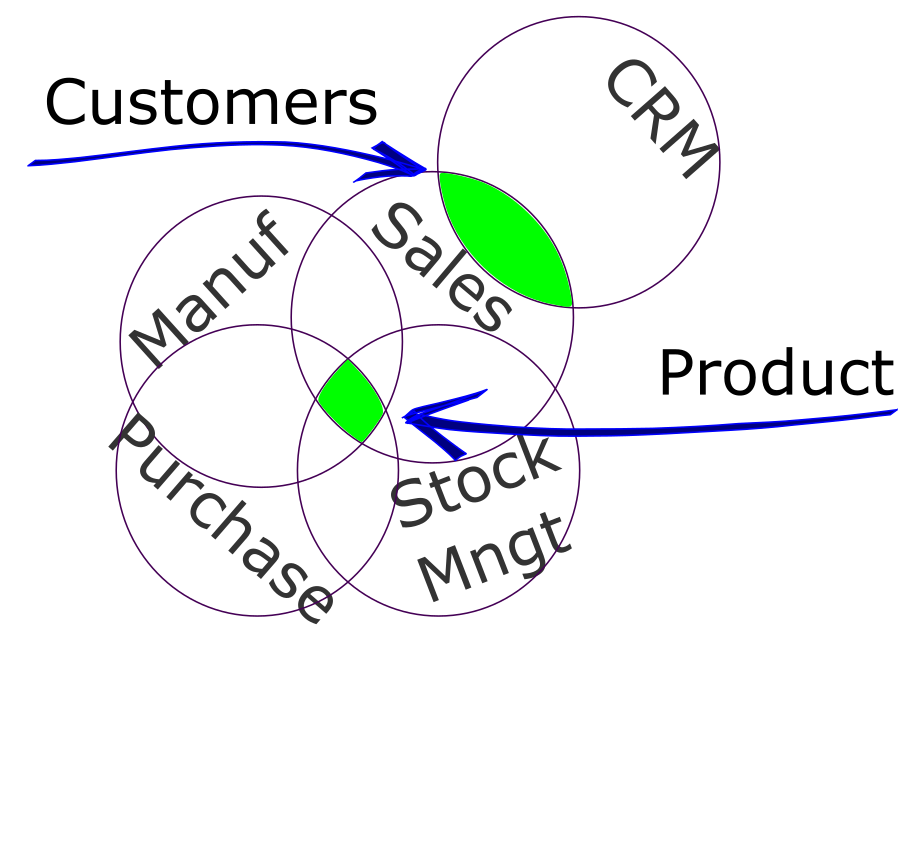 Adding a **CRM** module will benefit the data in the system and the sales team work. For these two separate modules the common information is the *Customers*, on each module there is some specific data, but the common information is shared between both modules. *Product* is another information item of an ERP that is used across several modules. In the **Sales** module the most important information is the cost price, yet on **Stock Management** the inventory and location are a key information.
## Selection
Adding a **CRM** module will benefit the data in the system and the sales team work. For these two separate modules the common information is the *Customers*, on each module there is some specific data, but the common information is shared between both modules. *Product* is another information item of an ERP that is used across several modules. In the **Sales** module the most important information is the cost price, yet on **Stock Management** the inventory and location are a key information.
## Selection
 Thinking in an [SME](https://www.investopedia.com/terms/s/smallandmidsizeenterprises.asp) on which people work with machines to create products that are stored in a warehouse and then sold to customers, at least these modules are mandatory:
- Manufacturing
- Stock Management
- Sales
- Purchase
Not vital modules, but the use of these modules will allow the company become more organized, with process flows and standards procedures are:
- CRM
- HR
- Invoicing
- Accounting
These selections are for a product oriented company, a service company would priorize more Sales and Stock Management.
This is the benefit of modules, a company can select the ones that fit the correct purpose of the business activity.
Thinking in an [SME](https://www.investopedia.com/terms/s/smallandmidsizeenterprises.asp) on which people work with machines to create products that are stored in a warehouse and then sold to customers, at least these modules are mandatory:
- Manufacturing
- Stock Management
- Sales
- Purchase
Not vital modules, but the use of these modules will allow the company become more organized, with process flows and standards procedures are:
- CRM
- HR
- Invoicing
- Accounting
These selections are for a product oriented company, a service company would priorize more Sales and Stock Management.
This is the benefit of modules, a company can select the ones that fit the correct purpose of the business activity.
## Interconnection
As described in more details in the [Machines](https://code.33co.de/ehofmann/ERP-samk/src/branch/master/03Comparison.md#machines) section on ERP comparison, a way to interconnect two different systems like an ERP with **Stock Management** and **Purchase** with a [CMMS](https://www.ibm.com/topics/what-is-a-cmms). Is for example a situation that the CMMS will consume the parts from the ERP inventory, when a preventive maintenance has been executed and the **Stock Management** module will trigger the purchase of replacement parts.
[back HOME](https://code.33co.de/ehofmann/ERP-samk)